
We’ve recently launched a number of extra reports within the Insights Reporting Suite, and the below are now available for anyone who has been granted reporting access within an event build, within the Shared With Me section in our Insights reporting suite. From here, those with granted access will be able to use these reports to access customer and sales data in their own control room.
This means Promoters can access their own opt-ins by following the below steps, within the Shared With Me section. If the event resides in your account, you will be able to access your opt-ins in the Audience section.
We currently have the following available in the Shared With Me section:
1) Log In to your Moshtix Control room. Not sure how? See our helpful, 'How to Log In' guide here.
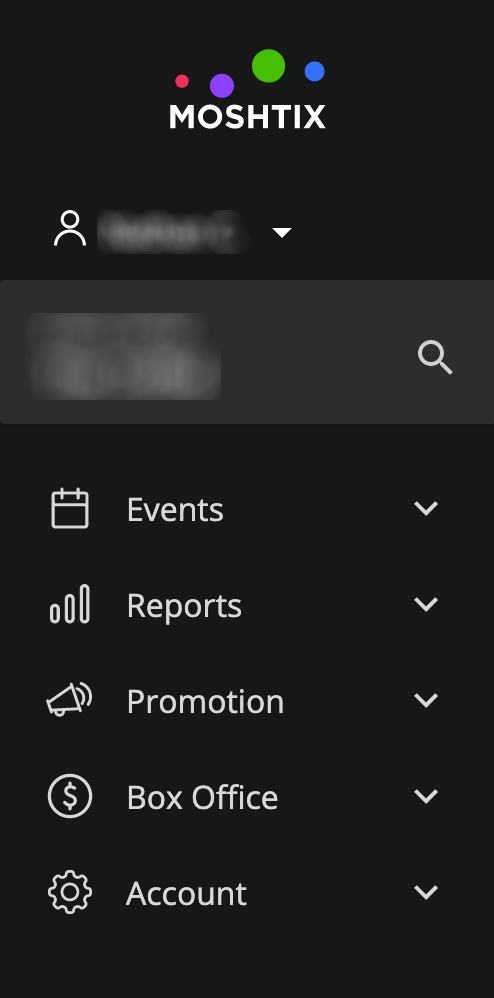
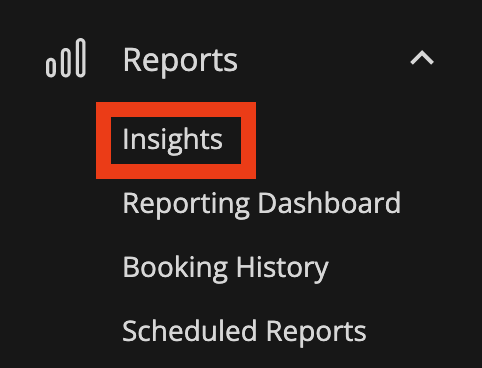
2) Once logged in, navigate to Reports > Insights via the menu on the left hand side.
3) At The top of the page will be a search box and a green Explore All with a down arrow. Click or tap Explore All.
4) A list of popular items should appear with an option called SHARED WITH ME.
5) Select Purchasers by Ticket
6) Utilise the Filters to extract the data you need
eg: Filter (top left) > Booking Transactions Timestamp Time = is any time > Client (for Event) Shared with me (Yes)
7) You can either extract all data or select Events to Include – eg;
8) To Generate and Extract - Select Run, Press the Cog icon and Select Download.
Comments
0 comments
Article is closed for comments.