
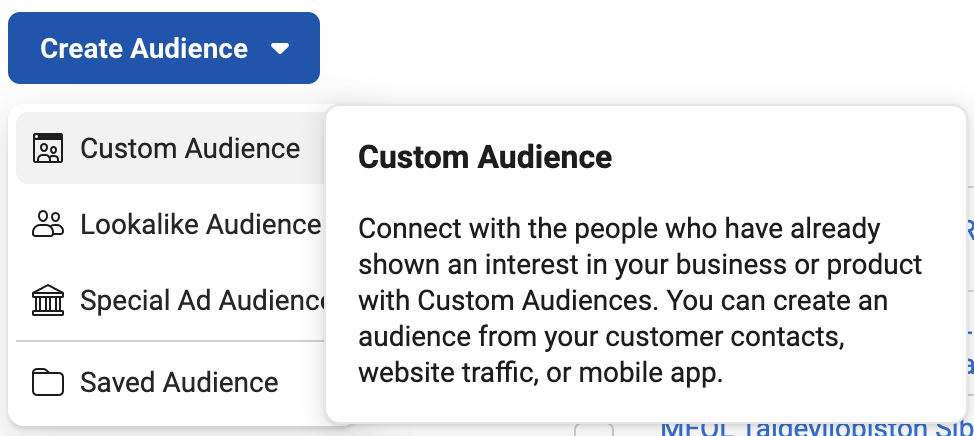
1. Choose Custom Audience
Go to the Audiences tab in Facebook Business Manager and select "Custom Audiences"
2. Build Audiences From A Website Source
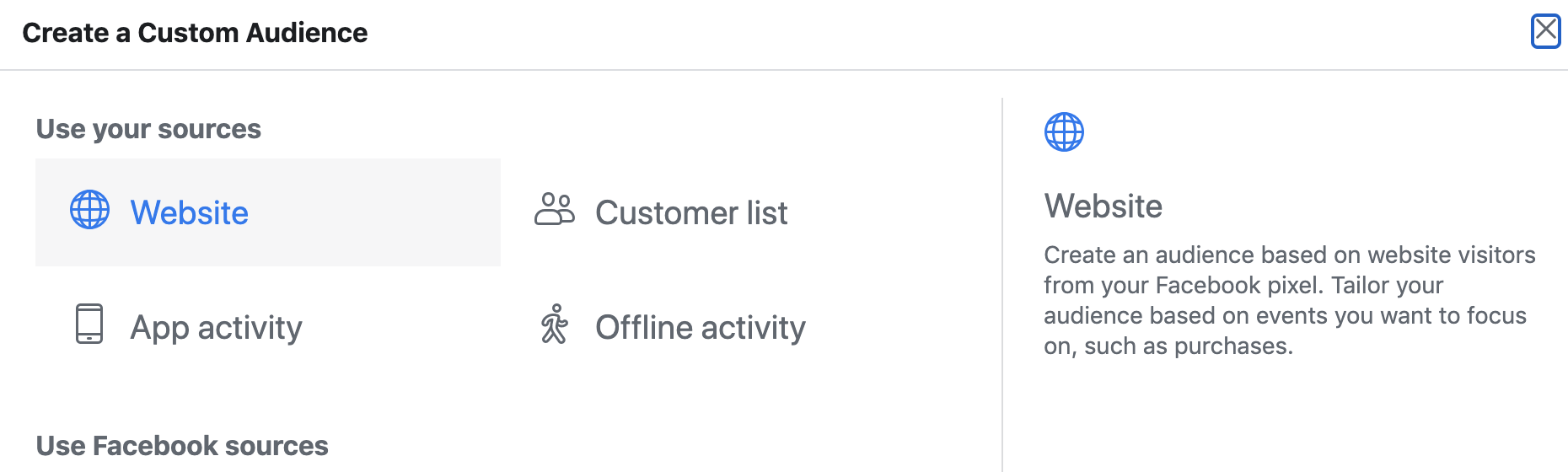
Select website as the source for your custom audience
3. Choose your pixel
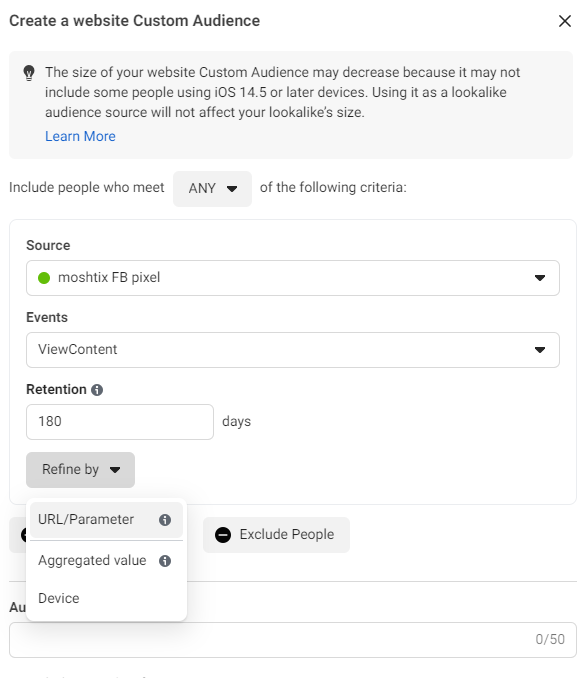
Select your pixel, then in the 'Event's dropdown, choose the standard event you'll be using to identify your audience (usually you will choose View Content to remarket to those that have viewed the page. You can also choose Purchase to exclude those who have already purchased to the event).
Set the number of days you want it to look back on to find your audience (maximum is 180 days).
Then click "Refine by" and choose URL/Parameter.
4. Add IDs you want to target
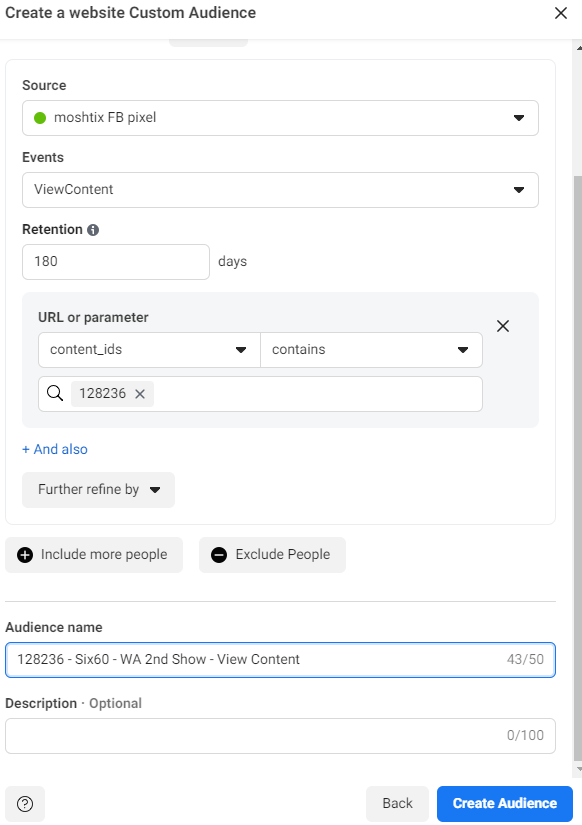
Click on "URL" and choose the parameter you want to target like "content_ids" for selecting audiences that have viewed specific events
Enter the value of the parameter you are targeting. If you have selected content_id, you can put in the event ID, which you can find in the URL of your event ( ie. https://www.moshtix.com.au/v2/event/six60-2nd-show/128236), or in your Moshtix Control Room.
Give your audience a name, then click save.
Comments
0 comments
Please sign in to leave a comment.