
There are two ways you may wish to create your free event. You could either create an event with no tickets so it acts as an information page only, or set up a $0.00 ticket for registration purposes so you can also collect customer data.
Log In to your Moshtix Control room. Not sure how? See our helpful, 'How to Log In' guide here.
Information Page
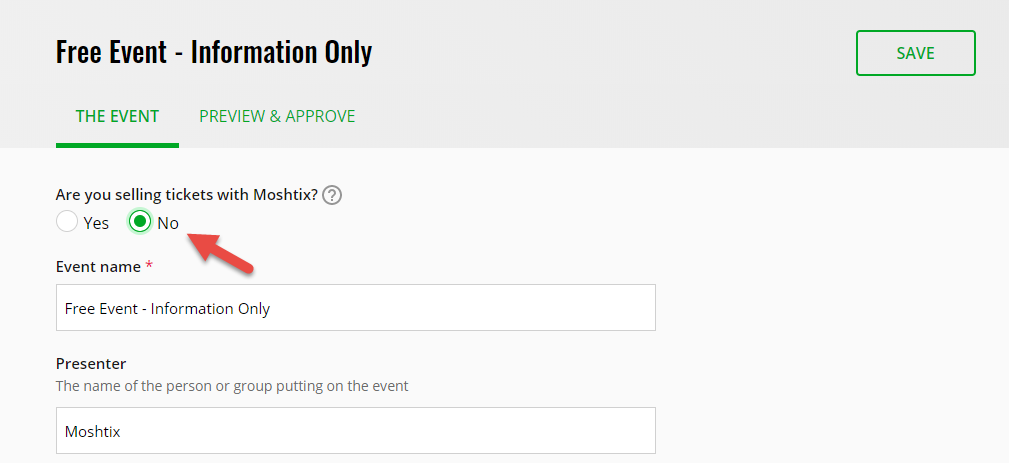
Once logged in, select CREATE EVENT. To create a ticketing page without tickets is as simple as changing the selection to No under "Are you selling tickets with Moshtix?" (as seen below). You will notice the 4 tabs underneath your event name change to 2 as you only need to fill in the information on the first tab before you preview and approve.
Free Ticket to Collect Customer Data
In this example you would create your event like normal and build a ticket type with the value of $0.00. If your event is going to be popular and you are concerned your customers may reserve a large amount of tickets, you can apply limits.
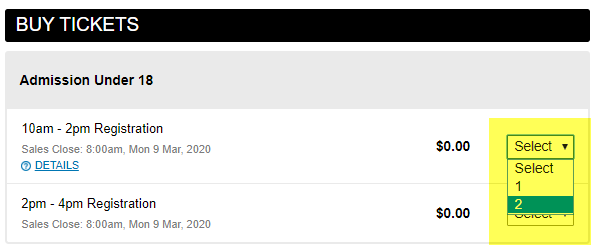
Here is an example of how you can display a range of free tickets using our grouping feature.
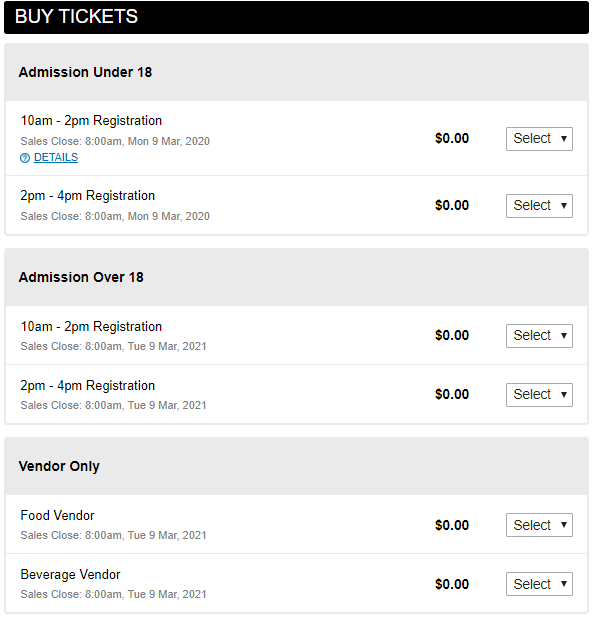
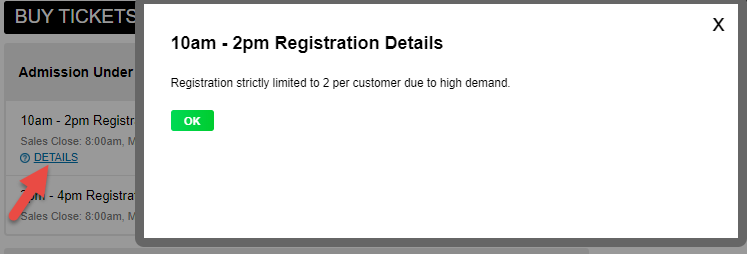
You also have the ability to add further information to each ticket type which appears as "DETAILS" in blue.
This feature can be found in the Advanced Options drop down as shown below.
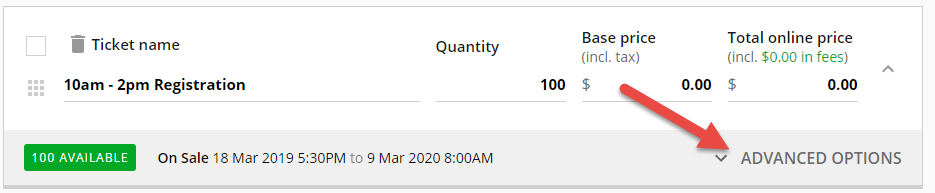
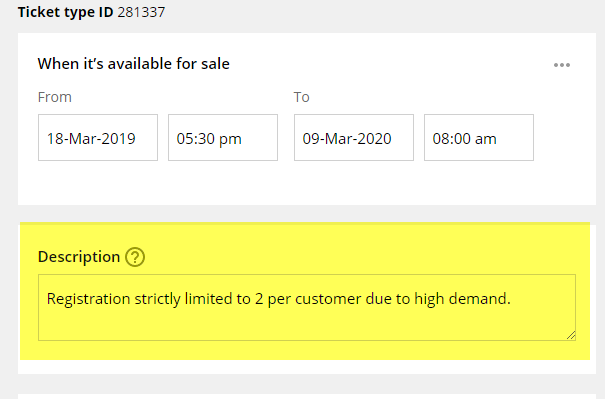
Should you wish to limit the number of free tickets your customers can reserve, you can also set these parameters in the Advanced Option section of each ticket type.
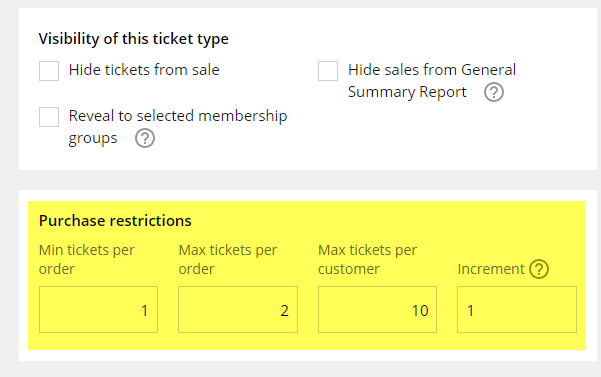
Max tickets per order refers to how many can be reserved at order level and per customer is how many can be reserved under that account log in. If you only want your customers to have access to 2 tickets in total then you would change "Max tickets per customer" to 2.
Comments
0 comments
Please sign in to leave a comment.