
Congratulations for putting on a successful event with Moshtix!
To receive your ticket funds you need to complete a settlement request. Your event will automatically change its status to "Ready for Settlement" at the conclusion of your event if there are funds to settle.
1) Log In to your Moshtix Control room. Not sure how? See our helpful, 'How to Log In' guide by clicking here.
2) Once logged in, you will see a prompt similar to the below.

3) Click on VIEW EVENTS and you will see the event(s) available for settlement.
4) Click on 'Ready for Settlement' & the Settlement Page will appear.
5) From here you can enter your bank details. The system will offer to save your details for future events. You will also have the option to add multiple accounts should you wish to split your funds.
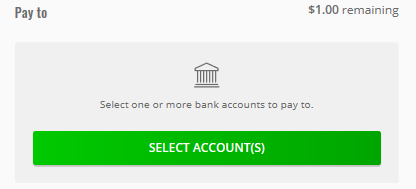
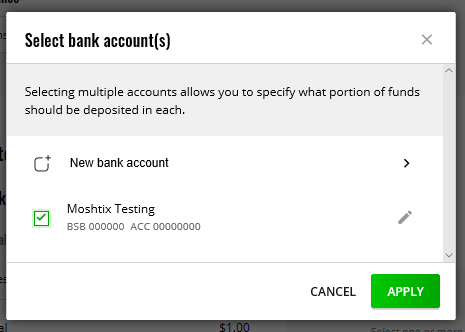
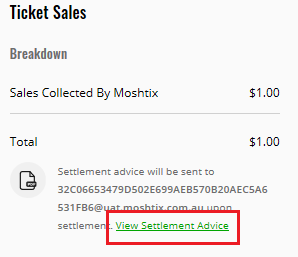
6) You also have the option to View the Settlement Advice via this page also.
The email recipient for the Settlement Advice is determined by who is listed as your overall Account contact. If you wish to edit this at any time, please contact your Client Manager. If you need to provide a copy of the Settlement Advice to an external party, you can forward it on once received.
7) Once you have entered your Bank Details click on Continue down the bottom of the page. You will then be prompted to review and confirm your settlement request. If all details are correct then proceed by clicking on:

You have now completed the settlement request for your event! Please note, settlements are typically processed on Monday's, Wednesday's and Friday's before 12pm. Funds can take from 1 to 3 Business days to clear into your nominated account after settlement has been processed.
Thank you for ticketing your event with Moshtix! We hope to work with you again soon.
Comments
0 comments
Article is closed for comments.